BRIGHT PUBLIC SCHOOL

Overview

Bright Public School is a private school with approximately 800 students, serving families from different backgrounds and age groups. This project focused on designing a simple, mobile-first communication experience that makes important school information easier for parents to find, understand, and act on. The goal was to bring scattered parent–school communication into one organized experience while reducing the communication workload for teachers.

Bright Public School App

Making school communication simpler, so important things never get lost.

The Problem

The problem wasn’t a lack of information. It was too many places to look

For Parents

  1. Scattered Information
  2. Missed Updates
  3. Difficult Information Retrieval
  4. Too Much Dependence on Messaging Apps
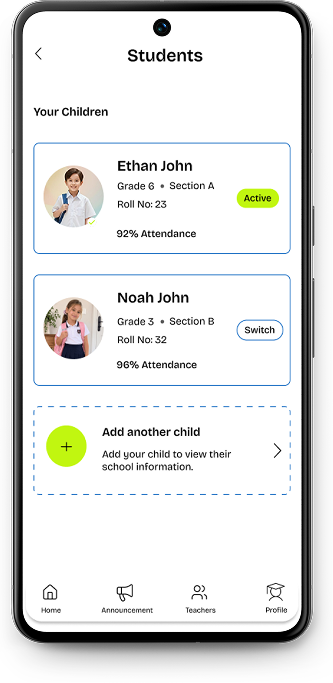
  5. Managing Multiple Children       

For Teachers

  1. Repetitive Communication
  2. Multiple Communication Channels
  3. Repeated Updates
  4. Time-Consuming Queries
  5. Information Gets Lost

Project Goals

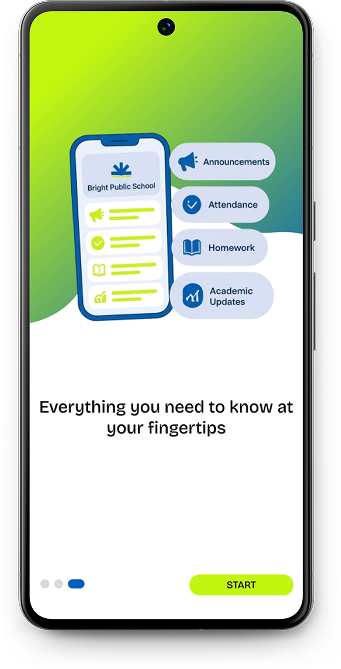
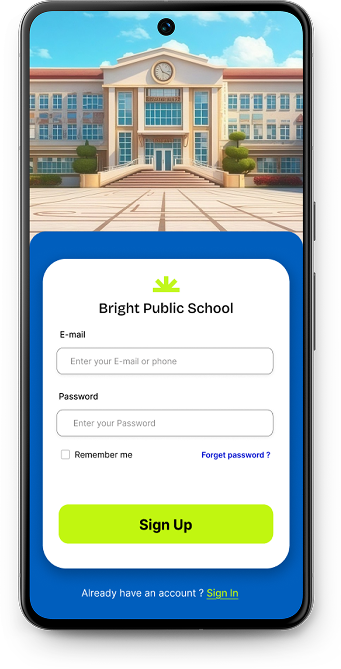
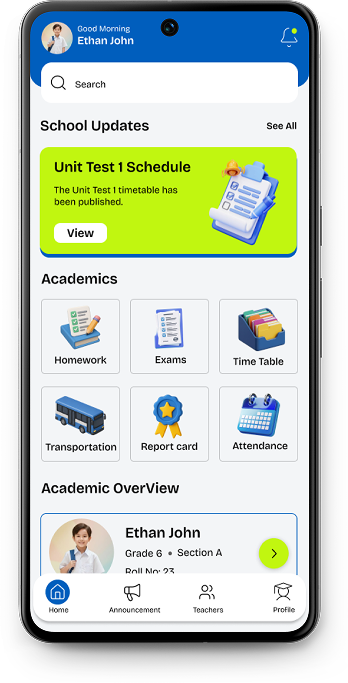
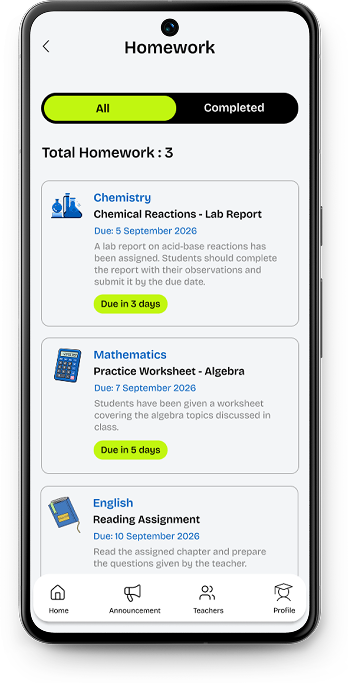
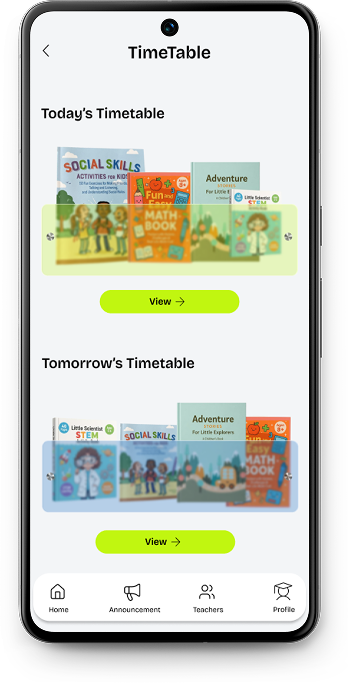
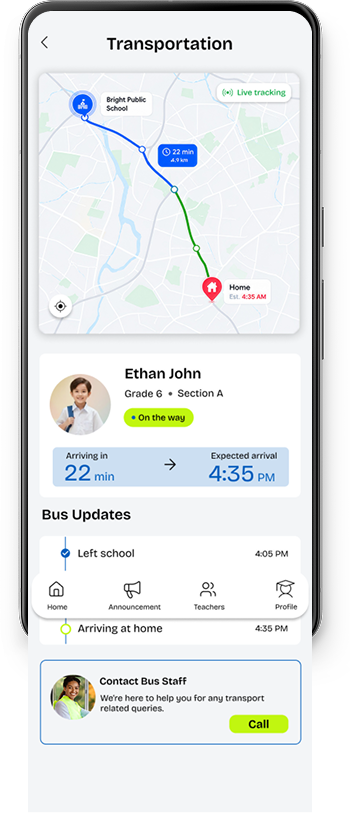
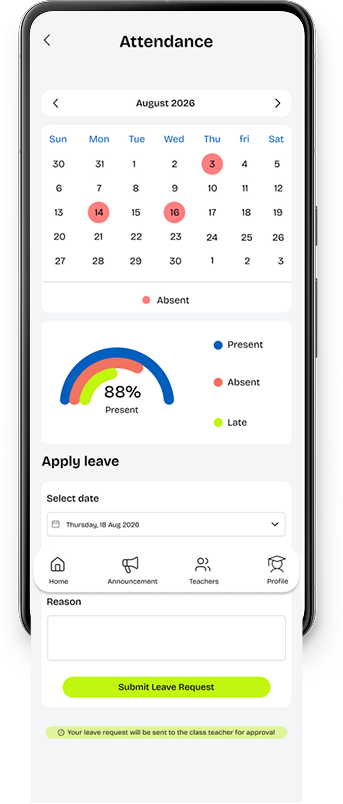
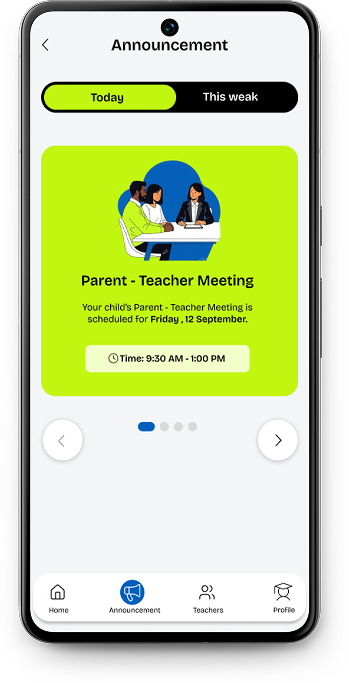
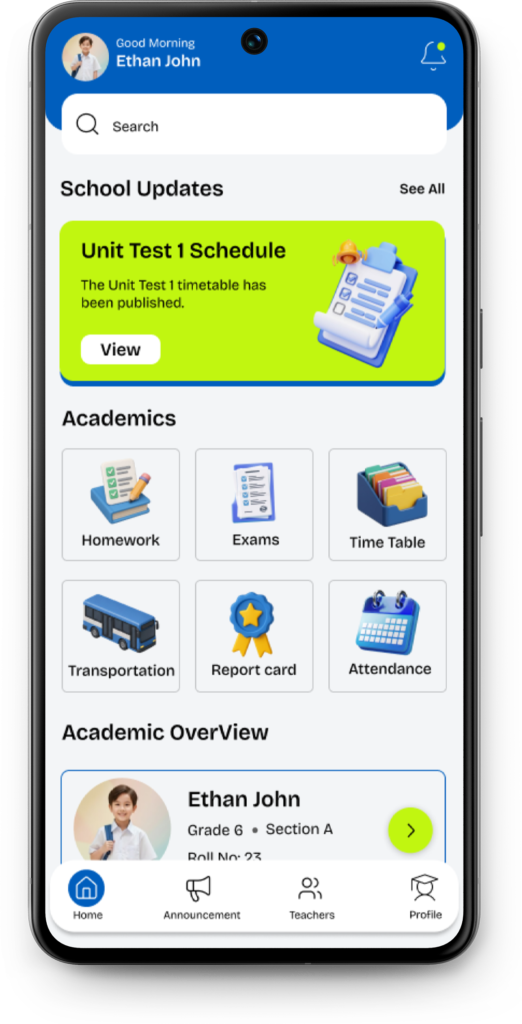
The goal was to design a centralized mobile app that helps parents quickly access and manage essential school information such as announcements, homework, exams, attendance, schedules, transportation, and child-related updates without relying on multiple communication channels. The experience was designed to reduce information overload, minimize repetitive communication between parents and teachers, and make everyday school related tasks easier to navigate.

The Process

  I looked beyond the interface to understand how parents currently receive, manage, and retrieve school information. The biggest challenge wasn’t the amount of information it was how scattered it was across different communication channels.

I translated the identified problems into clear design requirements and prioritized the tasks parents would need most frequently. And the experience needed to be Simple, Organized, Accessible and Efficient

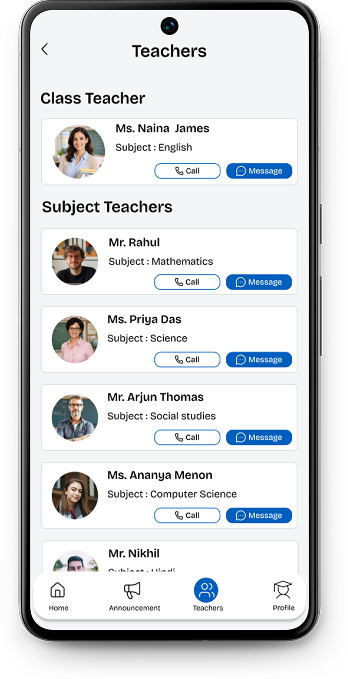
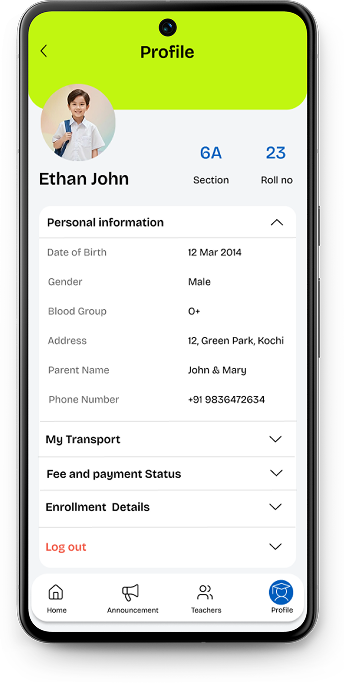
With multiple types of school information to manage, creating a clear structure became an important part of the process. I grouped related information into meaningful sections and prioritized frequently accessed content so parents could understand where to go without having to search. The aim was to create a predictable structure that could grow with the needs of the school without overwhelming the user.

I explored different layouts, navigation patterns, content structures, and visual hierarchies to find a balance between the amount of information available and the simplicity parents needed. Early iterations helped identify what should be immediately visible and what could be grouped into secondary sections.

Color Palette & Typography

The visual direction uses a bright yet structured palette designed to make the experience feel approachable, clear, and engaging for everyday school communication. #005EBD acts as the primary color, bringing trust and stability to the interface, while #C1F610 adds energy and draws attention to key actions and moments. #CCDFF2 provides a softer supporting tone, balanced with #F3F5F7 and #000000 to maintain clarity, contrast, and readability throughout the experience.

#005EBD

#C1F610

#CCDFF2

#F3F5F7

#000000

Bricolage Grotesque was chosen as the primary typeface for its contemporary, friendly character and distinctive forms. Its clean yet expressive personality helps give the interface a welcoming feel while maintaining the clarity needed for an information-focused application. Together, the typography and color palette create a visual language that feels confident, approachable, and easy to navigate.

UI Screens

Bright Public School app screen 1
Bright Public School app screen 2
Bright Public School app screen 3
Bright Public School app screen 4
Bright Public School app screen 5
Bright Public School app screen 6
Bright Public School app screen 7
Bright Public School app screen 8
Bright Public School app screen 9
Bright Public School app screen 10
Bright Public School app screen 11
Bright Public School app screen 12
Bright Public School app screen 13
Bright Public School app screen 14
Bright Public School app screen 1
Bright Public School app screen 2
Bright Public School app screen 3
Bright Public School app screen 4
Bright Public School app screen 5
Bright Public School app screen 6
Bright Public School app screen 7
Bright Public School app screen 8
Bright Public School app screen 9
Bright Public School app screen 10
Bright Public School app screen 11
Bright Public School app screen 12
Bright Public School app screen 13
Bright Public School app screen 14
Scroll to Top